QuickMLeaderLite logo

Annotation

QuickMLeaderLite

Version 2.0.1Free

Create and edit multileaders in AutoCAD using reusable text entries and dedicated leader editing tools.

Compatibility

  • AutoCAD 2021–2027
  • AutoCAD Mechanical 2021–2027

Languages

  • English

Overview

QuickMLeaderLite is a free drafting tool for creating and editing multileaders in AutoCAD. Reuse registered text entries and adjust existing leaders with dedicated editing tools.

Reusable Text List

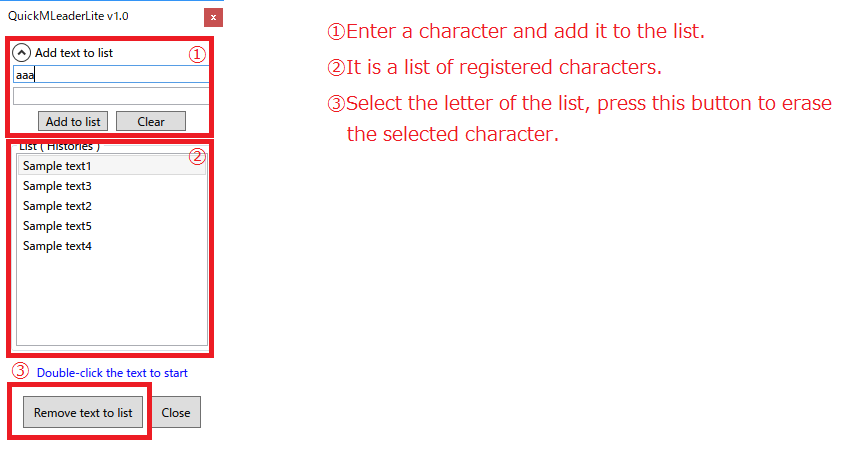
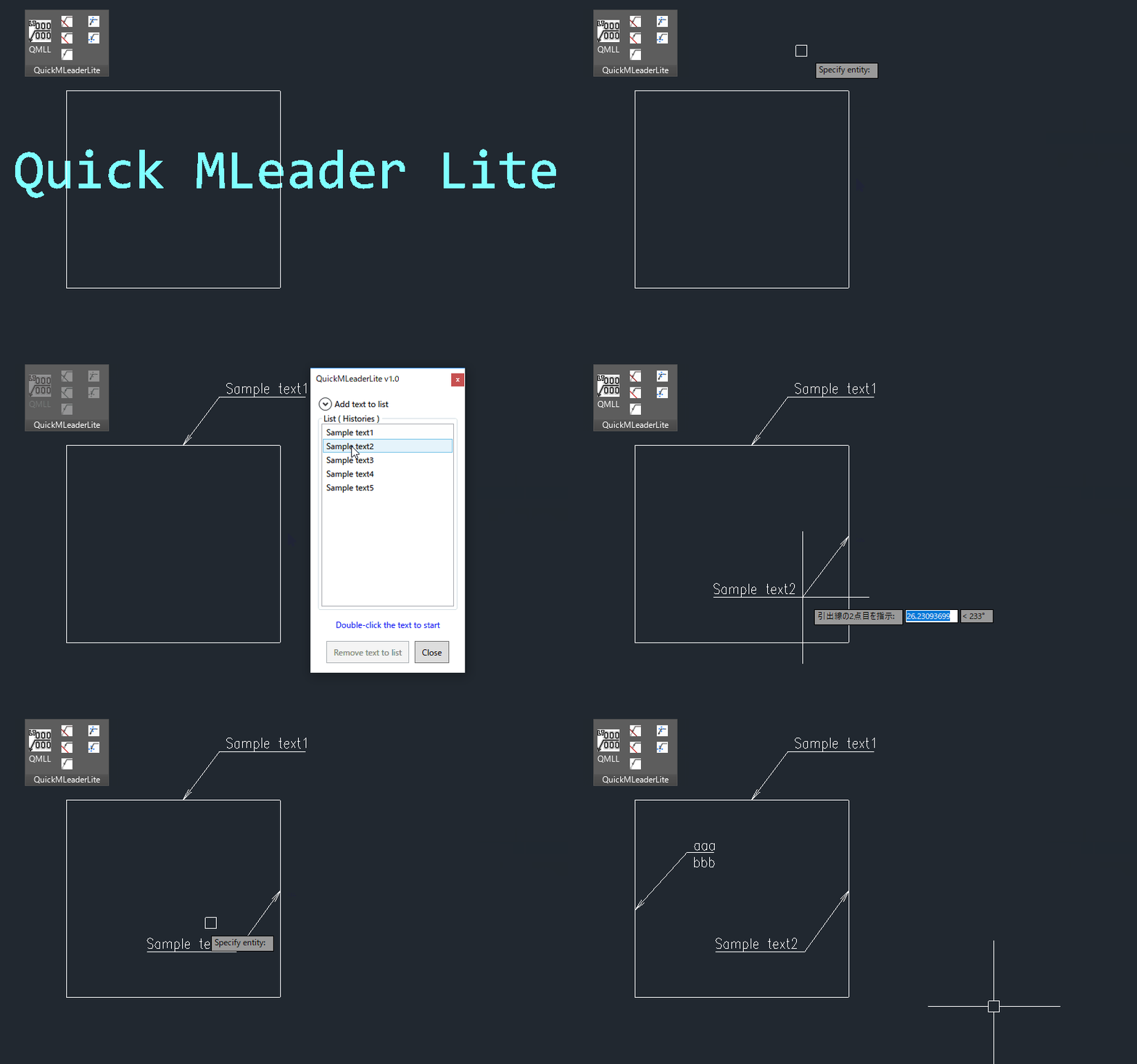
Enter frequently used text and add it to the list. Double-click a registered entry to begin creating a multileader. Select an entry and use the remove button to delete it from the list.

Leader Editing

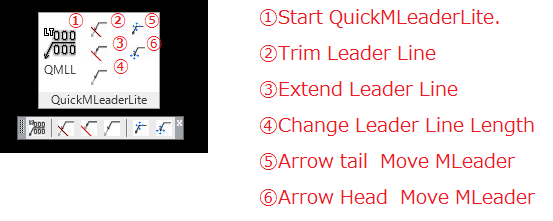
Use the ribbon or toolbar to trim or extend leader lines, change their length, and move the tail or arrowhead of a multileader.

Getting Started

  1. Open AutoCAD and select QuickMLeaderLite from the ribbon or toolbar.
  2. Enter text and add it to the list.
  3. Double-click the desired text entry and follow the drawing prompts.
  4. Use the leader editing tools to adjust existing multileaders.

Installation

Download QuickMLeaderLite from the Autodesk Marketplace and follow the installation instructions. Restart AutoCAD if necessary.

Support

For product support, contact tydesign.jp@gmail.com.
Key Features

Create multileaders using registered text entries

Add and remove reusable text entries

Trim and extend leader lines

Change leader line length

Move the tail or arrowhead of a multileader

Access tools from the ribbon or toolbar

Screenshots

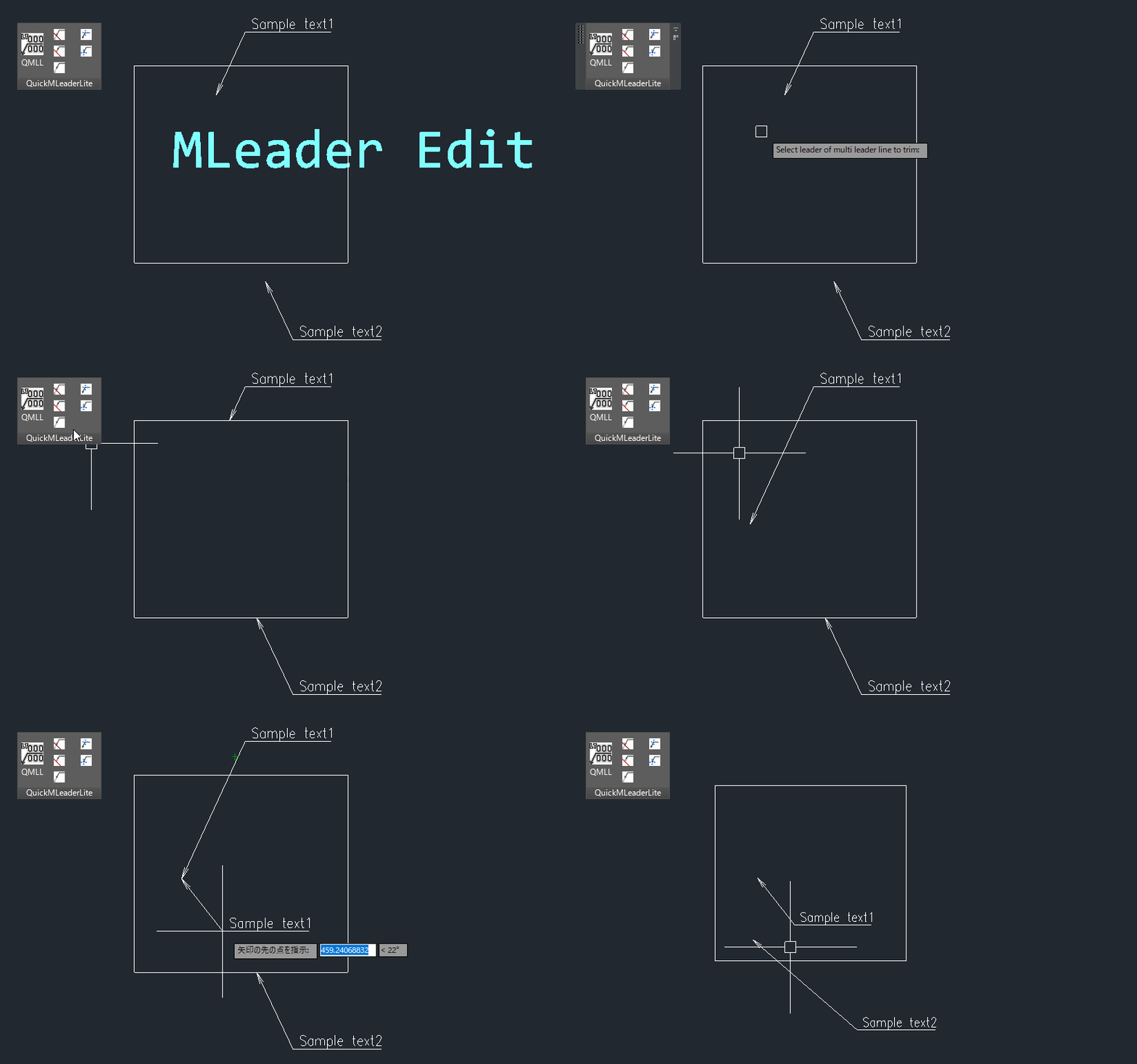
Creating multileaders
Create multileaders using registered text.
Editing multileaders
Demonstration of leader editing tools.
Text list dialog
Register, select, and remove reusable text entries.
Ribbon and toolbar
Six tools for creating and editing multileaders.

Commands

6 commands
CommandDescription
QMLL iconQMLL
Launch QuickMLeaderLite.
Trim Leader Line iconTrim Leader Line
Trim a leader line.
Extend Leader Line iconExtend Leader Line
Extend a leader line.
MLLE iconMLLE
Change the length of a leader line.
MLME iconMLME
Move the tail of a multileader.
MLNE iconMLNE
Move the arrowhead of a multileader.

Get QuickMLeaderLite

Visit the Autodesk App Store for downloads, pricing, and compatibility information.

View on Autodesk App Store