
Overview
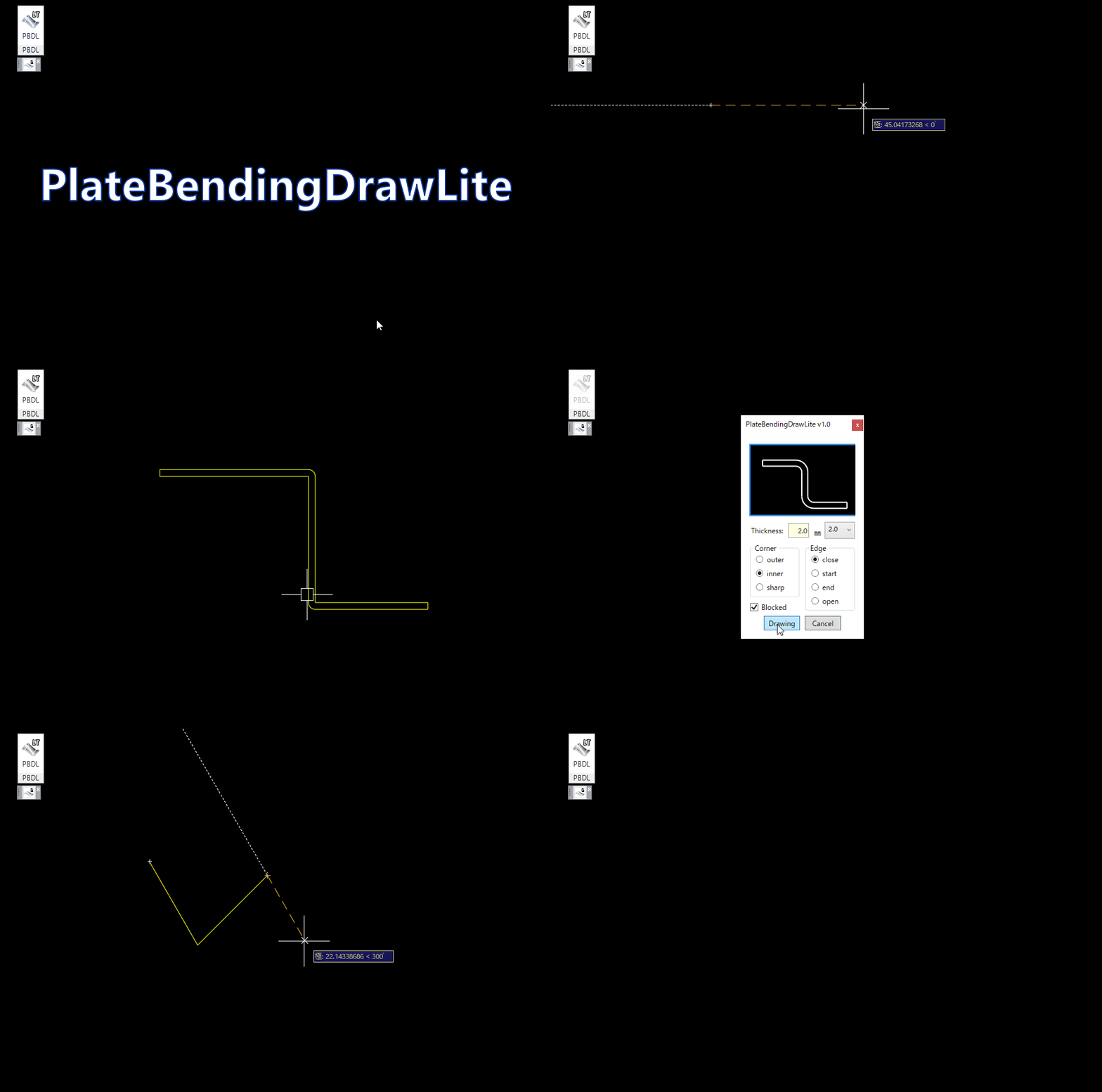
PlateBendingDrawLite is a lightweight drafting tool for AutoCAD that simplifies the creation of bent metal plate cross sections.
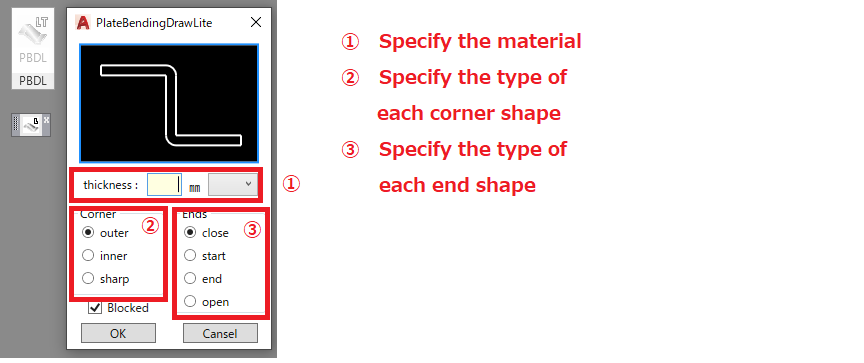
Its compact settings dialog provides essential options for preparing sectional drawings without complex configuration.
Drawing Settings
Plate Thickness
Specify the thickness of the metal plate before drawing.
Corner Shape
Choose from the available corner types: Outer, Inner, or Sharp.
End Shape
Select the required end configuration: Close, Start, End, or Open.
Block Creation
Use the Blocked checkbox to control block creation.
Getting Started
- Open AutoCAD.
- Enter
PBDLat the command line or select the application from the Add-ins ribbon. - Configure the plate thickness, corner type, and end type.
- Click OK and follow the drawing prompts.
Typical Applications
- Architectural metal panels
- Metal copings and flashings
- Bent metal brackets
- Metal frames and trims
- Fabrication and shop drawings
Looking for More Drawing Options?
For additional settings, including drawing limits, hatching, and layer configuration, explore the full version: PlateBendingDraw.
Installation
Obtain PlateBendingDrawLite from the Autodesk App Store and run the installer. Restart AutoCAD if necessary.
Support
For product support, contact tydesign.jp@gmail.com.