FramePartition logo

Layout

FramePartition

Version 2.0.0

Create partition frames for drawing layouts and paper space viewports in AutoCAD.

Compatibility

  • AutoCAD 2025

Languages

  • English

Overview

FramePartition is a drafting tool for AutoCAD that helps you organize drawings using partition frames. It also includes EasyViewport for creating viewports in paper space.

Frame Partition Settings

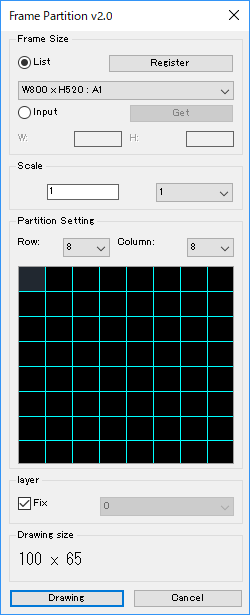
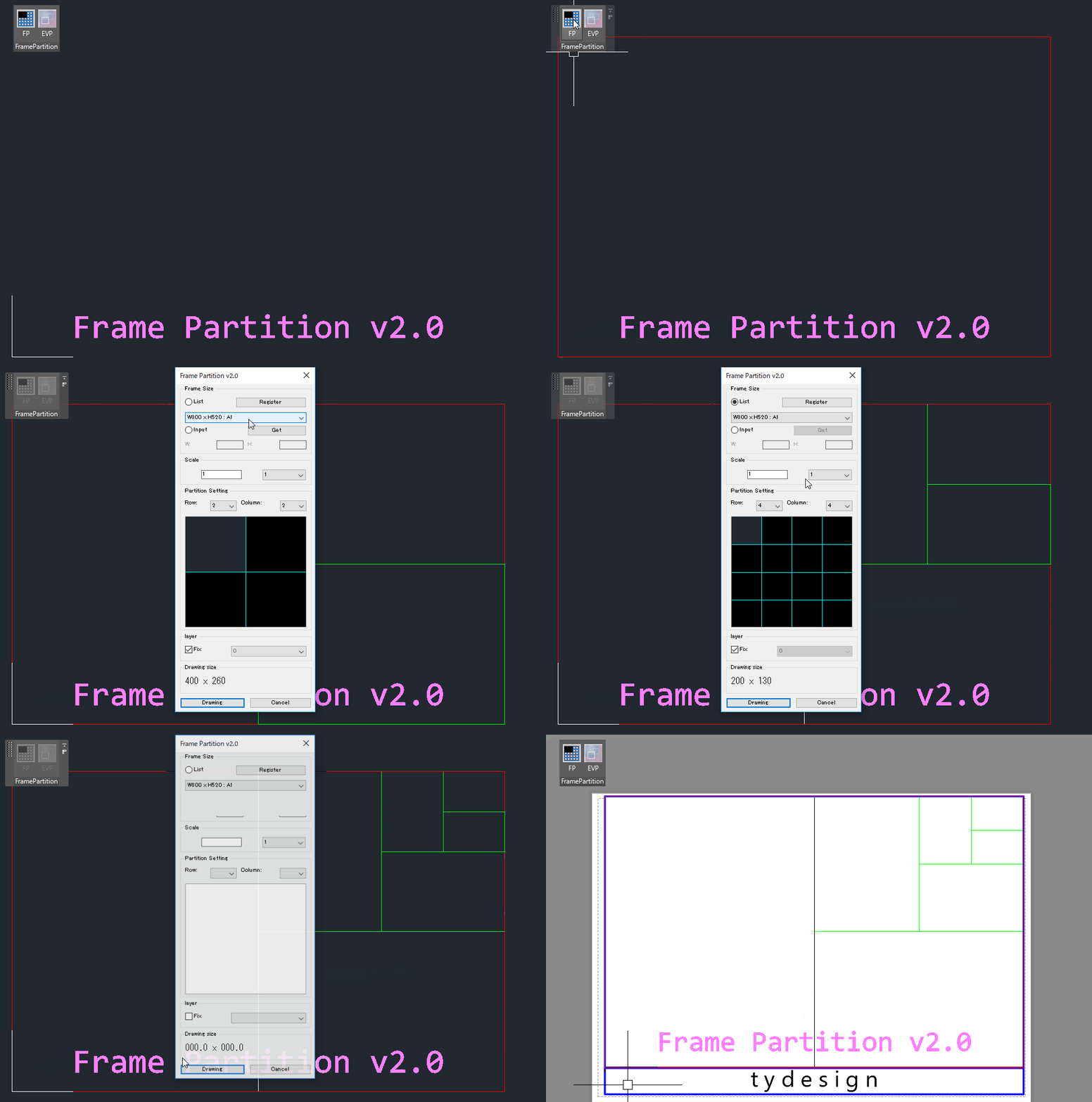
Use the FP command to configure frame sizes, drawing scale, and the partition arrangement. The settings dialog includes a grid preview of the arrangement.

Frame Registration

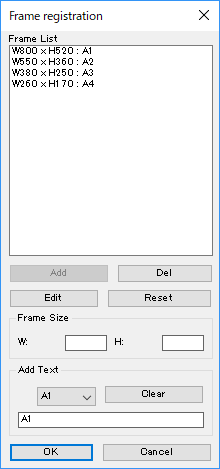
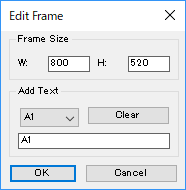
Register frequently used frame sizes for reuse. The Edit Frame dialog allows you to specify the width, height, and associated text for a frame.

Viewport Creation

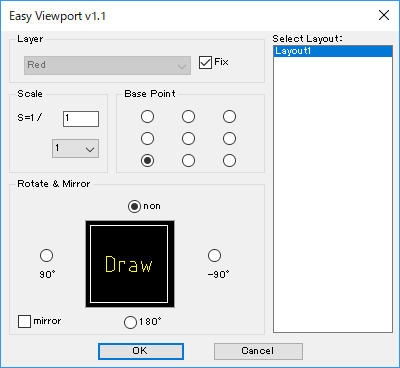
Use the EVP command to create a viewport from model space in a paper space layout. The settings panel includes options for layer, scale, base point, rotation, mirroring, and layout.

For more information, see EasyViewport.

Getting Started

  1. Open AutoCAD.
  2. Launch FP from the Add-ins ribbon or command line.
  3. Configure the frame and partition settings.
  4. Follow the drawing prompts.
  5. Use EVP when you need to create a paper space viewport.

Installation

Obtain FramePartition from the Autodesk App Store and follow the installation instructions.

Support

For product support, contact tydesign.jp@gmail.com.
Key Features

Create partition frames for drawing layouts

Register and edit reusable frame sizes

Configure frame width, height, and associated text

Specify drawing scale and partition settings

Preview the partition arrangement in a grid

Create paper space viewports from model space with EasyViewport

Screenshots

FramePartition animated operation demonstration
FramePartition operation demonstration.
FramePartition settings dialog
Configure frame sizes, scale, and partition arrangement.
Frame registration dialog
Manage reusable frame sizes.
Edit Frame dialog
Edit the frame width, height, and associated text.
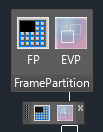
FramePartition ribbon with FP and EVP commands
Access the two commands from the ribbon.
EasyViewport settings dialog
Configure a paper space viewport using EasyViewport.

Commands

2 commands
CommandDescription
FP iconFP
Create a partition frame for drawing layouts.
EVP iconEVP
Create a paper space viewport from model space.

Get FramePartition

Visit the Autodesk App Store for downloads, pricing, and compatibility information.

View on Autodesk App Store